
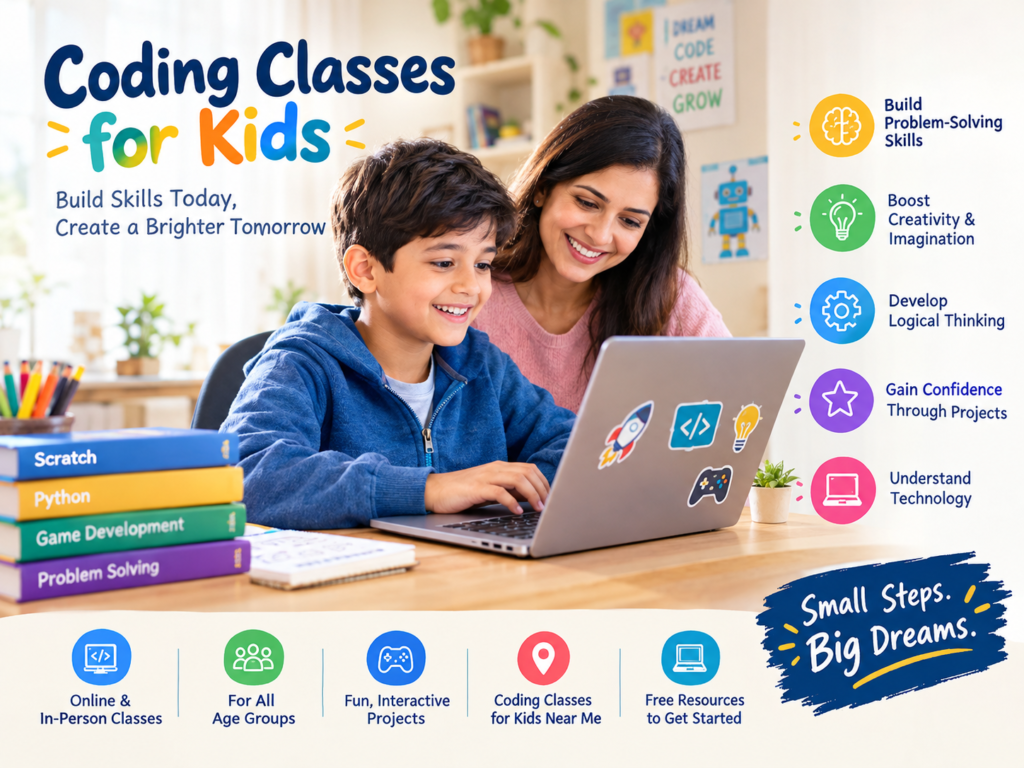
Introduction: Help Your Child Turn Screen Time into Learning Time
Does your child love playing video games, watching animated videos, or exploring new apps on a computer or tablet? Have you ever wondered what would happen if your child could create their own games, animations, or simple apps instead of just using them?
This is where coding classes for kids can make a difference.

Codeyoung
One-on-One Online Learning That Helps Every Child Grow.
Available in 


Codingal
Live online classes in Coding, Math, and Public Speaking for school kids.
Available in 

Turito
Live online tutoring that helps your child learn, grow and feel confident, from Grade 1 to 12.
Available in 

Vedantu
Live online classes that make kids love Maths, coding and speaking English with confidence.
Available in 
Coding introduces children to the technology they use every day in a fun, creative, and educational way. Instead of simply consuming digital content, children learn how to give instructions to a computer, solve problems, and turn their ideas into something they can see and interact with.
The best part? Your child does not need to be a computer expert or a maths genius to get started. With age-appropriate lessons, engaging activities, and the right guidance, even beginners can start exploring the world of programming.
Whether you are searching for a coding class for kids near me, exploring online learning options, or comparing different programs, this guide will help you understand what to look for and how to choose the right learning experience for your child.
What Are Coding Classes for Kids?
Coding classes teach children how to communicate with computers using programming languages, visual blocks, and logical instructions.
Think of coding as giving a computer a set of instructions to complete a task. For example, a child might write instructions to make a character move across a screen, create a simple quiz, or design a basic video game.
Modern computer coding classes for kids make these concepts easier to understand through interactive projects rather than relying only on theory.
Depending on your child’s age and experience, lessons may include:
- Visual block coding: Children arrange colourful blocks to create programs.
- Game development: They learn how game characters move, react, and interact.
- Animation and storytelling: They create animated characters and interactive stories.
- Text-based programming: Older children can explore languages such as Python.
- Problem-solving challenges: They learn to identify errors, test ideas, and improve their projects.
A well-designed coding program focuses on exploration, creativity, and understanding. The goal is not simply to memorise code but to help children learn how technology works.
Why Should Children Learn Coding at an Early Age?
Children are naturally curious. They enjoy asking questions, experimenting with new ideas, and discovering how things work. Coding gives them a structured way to explore that curiosity.
Here are some valuable skills children can develop through coding.
1. Logical Thinking and Problem-Solving
Coding encourages children to break a large problem into smaller, manageable steps.
For instance, if a game character does not reach the finish line, the child must investigate what went wrong and adjust the instructions. This process helps develop logical thinking and a practical approach to solving problems.
2. Creativity and Imagination
Coding is not limited to numbers and technical instructions. Children can use it to create games, design animations, build stories, and bring their ideas to life.
For a child who enjoys drawing, storytelling, puzzles, or gaming, programming can become another exciting creative outlet.
3. Patience and Persistence
A program does not always work perfectly on the first attempt. Children learn to test their work, find mistakes, and try different solutions.
These experiences can help them become more comfortable with challenges and understand that mistakes are a normal part of learning.
4. Confidence Through Projects
Imagine your child creating a simple game and showing it to the family.
Completing a project can give children a sense of achievement. As they progress from small activities to more challenging projects, they have opportunities to practise decision-making and take pride in their work.
5. Understanding Technology
Children interact with digital devices from an early age. Learning coding helps them move beyond simply using technology and begin understanding how digital experiences are created.
These skills can complement school learning and introduce children to concepts that may be useful in future studies and careers.
Remember, every child learns differently. Coding can support these skills, but progress depends on the child’s interests, practice, instruction, and learning environment.
What Is the Right Age to Start Coding?
There is no single perfect age for every child. The right starting point depends on their interests, readiness, and the complexity of the activities.
Here is a simple age-based guide for parents.
Coding for Kids Ages 5–7
Young learners can begin with basic sequencing, puzzles, visual activities, and simple drag-and-drop coding games.
At this stage, lessons should be playful, visual, and short enough to maintain attention. The focus is on understanding sequences, patterns, and cause and effect.
Coding for Kids Ages 8–10
Children in this age group can explore block-based programming, interactive stories, animations, and beginner game development.
They can also start learning concepts such as loops, events, conditions, and variables through practical projects.
Coding for Kids Ages 11–13
Older children can work on more detailed games, interactive applications, and structured programming challenges.
Depending on their readiness, they may begin transitioning from visual coding to text-based programming languages such as Python.
Coding for Teenagers Ages 14 and Above
Teenagers may explore Python, web development, app development, game programming, and more advanced computer science concepts.
Project-based learning can help them identify which areas of technology interest them most.
Parent tip: Do not choose a course based only on age. Look at your child’s current experience, interests, and the teaching approach. A beginner-friendly class should welcome children who have never written a line of code.
Online Coding Classes for Kids: Are They Worth It?
For many families, online coding classes for kids offer a convenient way to introduce children to programming without travelling to a learning centre.
Children can learn from home, practise on a compatible computer, and explore projects with the guidance of an instructor.
However, the quality of the learning experience matters more than whether a class is online or offline.
Benefits of Learning Coding Online
Convenience for parents: Online lessons eliminate travel time and can fit more easily into a family’s routine.
Access to different instructors: Your family may have more options when you are not limited to nearby centres.
Interactive learning: Screen-sharing, live demonstrations, coding platforms, and project discussions can make lessons engaging.
Flexible learning choices: Families can compare private lessons, small groups, and self-paced courses.
Visible progress: Completed projects can help parents understand what their child has learned.
Live Classes or Self-Paced Courses: Which Is Better?
Both options can be useful, but they offer different experiences.
Live online classes allow children to ask questions, receive feedback, and get help when they encounter a problem. One-on-one lessons can provide individual attention, while group classes offer opportunities to learn alongside peers.
Self-paced courses give children flexibility to revisit lessons and practise independently. However, some beginners may need additional support when they get stuck.
If your child is just starting, consider a program that combines guided instruction with independent project practice.
When comparing coding classes for kids online, ask whether the instructor demonstrates concepts, encourages children to build projects themselves, and provides feedback rather than simply showing them what to do.
How to Find Coding Classes for Kids Near Me
If you prefer an in-person learning experience, searching for coding classes for kids near me is a practical first step.
You may find local coding academies, computer training centres, robotics clubs, after-school programs, or technology workshops.
But before enrolling, compare the learning experience rather than choosing the first available option.
Here are seven things to check.
1. Check the Curriculum
Does the course cover beginner concepts before moving to advanced topics? Is it suitable for your child’s age and experience?
A good curriculum should have a clear learning path.
2. Ask About the Teaching Method
Children learn better when they can participate, experiment, and build things themselves.
Look for classes that use practical activities and projects instead of long lectures.
3. Understand the Class Size
Ask how many children attend each session and how much individual guidance the instructor can provide.
Some children thrive in groups, while others benefit from more personalised instruction.
4. Review Instructor Experience
Find out whether instructors have experience teaching children, explaining technical concepts simply, and supporting beginners.
Being a skilled programmer and being an effective teacher are different abilities.
5. Compare Class Timings and Travel
Consider school hours, homework, extracurricular activities, and travel time.
A convenient schedule makes it easier for your child to learn consistently without feeling overwhelmed.
6. Ask About Projects and Progress
Find out what children will create during the course and how their progress will be assessed.
Examples of completed student projects can help you understand the practical value of the program.
7. Compare Fees and Trial Options
Ask for the complete fee structure, including registration, software, materials, and any additional charges.
Some providers offer a free introductory lesson or trial. If you are looking for free coding classes for kids, check what is included, whether the lessons are live or self-paced, and whether the free access has any limitations.
An important tip: A nearby class is not automatically the best class. Choose a program that suits your child’s needs, offers appropriate support, and encourages genuine understanding.
What Are the Best Coding Classes for Kids?
The best coding classes for kids are not necessarily the most expensive or the most heavily advertised. They are the ones that match your child’s learning needs and make programming understandable, enjoyable, and progressively more challenging.
Before making a decision, compare the following options.
| Type of class | Best suited for | What to look for |
|---|---|---|
| Beginner block coding | Children new to programming | Visual activities and simple projects |
| Game development | Children who enjoy games | Opportunities to create and test original games |
| Python programming | Older children and motivated beginners | Clear explanations and guided exercises |
| Robotics and coding | Hands-on learners | Suitable equipment and practical activities |
| Live online coding | Families seeking guided learning from home | Instructor feedback and interactive sessions |
| Self-paced coding | Independent learners | Structured lessons and opportunities to practise |
The right course should meet your child where they are today while giving them room to grow.
What Makes the Best Online Coding Classes for Kids?
When comparing the best online coding classes for kids, focus on these important features:
- A curriculum suited to your child’s age and experience.
- Experienced instructors who can explain concepts clearly.
- Hands-on projects that encourage independent thinking.
- Opportunities to ask questions and receive feedback.
- Manageable class sizes and appropriate lesson durations.
- A transparent fee structure and clear learning objectives.
- Regular opportunities to review progress.
For beginners, a short introductory session can be particularly helpful. It allows you to observe the instructor’s teaching style and see whether your child enjoys the learning experience before committing to a longer program.
Are Free Coding Classes for Kids a Good Starting Point?
Yes! Free coding classes for kids can be an excellent way to explore programming before investing in a paid course.
Free resources can help children discover whether they enjoy making games, creating animations, solving puzzles, or writing code.
You can begin with beginner tutorials, browser-based coding activities, educational games, and introductory programming lessons.
What Can Children Learn for Free?
Depending on the resource, children may learn:
- Basic sequencing and logic.
- Drag-and-drop programming.
- Simple animations and interactive stories.
- Beginner game-building concepts.
- Introductory Python concepts.
- Basic debugging and problem-solving.
Free learning resources vary in their level of support. Some provide interactive activities, while others offer recorded lessons or independent exercises.
If your child learns well independently, these resources may provide plenty of opportunities to practise. If they regularly need help understanding instructions or fixing mistakes, a guided class may be a better fit.
A balanced approach works well for many families: begin with free resources, observe your child’s interests, and consider a structured course if they want to progress further.
What Will My Child Actually Build in a Coding Class?
One of the best ways to understand coding is to see what it can help children create.
Depending on their age and skill level, beginner projects might include:
A simple animated story: Children make characters move, speak, and respond to events.
A quiz game: They create questions, check answers, and display scores.
A maze game: They program movement, set boundaries, and create rules for reaching a destination.
A digital greeting card: They combine text, animation, and interactive elements.
A beginner Python calculator: Older learners practise inputs, calculations, and displaying results.
These projects introduce programming concepts in a practical context. They also give parents something tangible to discuss with their children after each lesson.
Rather than asking only, “What did you learn today?”, try asking, “What did you create today?” or “What problem did you solve?”
These questions can encourage children to explain their thinking and take greater ownership of their work.
How Much Do Coding Classes for Kids Cost?
The cost of coding classes for kids varies depending on the country, instructor, curriculum, lesson format, and course duration.
Self-paced resources may be free or relatively inexpensive, while live instructor-led classes typically charge for teaching time, feedback, and course support.
Private one-on-one classes may cost more than group sessions, but they can provide more individual attention.
When comparing fees, look beyond the advertised price. Ask these questions:
- How many classes are included?
- How long is each lesson?
- Are classes live, recorded, or self-paced?
- Does the fee include software or learning materials?
- Will my child receive feedback on projects?
- Are missed classes rescheduled?
- Is there a trial lesson or refund policy?
A lower price does not always mean better value, and a higher price does not automatically guarantee better teaching.
Choose a program based on the overall learning experience, the support provided, and your family’s budget.
How Can Parents Support Children Learning Coding at Home?
You do not need to be a programmer to support your child’s coding journey.
Your role is to encourage curiosity, celebrate effort, and provide opportunities to practise.
Here are five simple ways to help.
1. Let your child choose projects they enjoy. A child interested in animals might create an animal quiz, while a gaming enthusiast might prefer building a maze game.
2. Encourage experimentation. Let your child test different ideas instead of immediately giving them the answer.
3. Celebrate the process, not just the result. Praise persistence, creativity, and problem-solving, even when a project does not work perfectly.
4. Create a balanced routine. Combine coding with physical activity, reading, outdoor play, family time, and other interests.
5. Ask your child to explain their work. Explaining how a program functions can help children organise their thoughts and identify what they understand.
Most importantly, avoid turning coding into another source of academic pressure. Children are more likely to remain engaged when learning feels rewarding and appropriately challenging.
Frequently Asked Questions About Coding Classes for Kids
1. What is the best age for a child to start coding?
Many children can begin exploring basic coding concepts around ages 5–7 through visual games, sequencing activities, and simple puzzles. Older children can progress to block-based programming, game development, and text-based languages depending on their readiness.
2. Are online coding classes suitable for beginners?
Yes. Online classes can work well for beginners when lessons are age-appropriate, interactive, and supported by a patient instructor. Parents should check the technical requirements and whether the program provides help when children encounter difficulties.
3. How do I find the best coding class for kids near me?
Compare local coding academies, after-school programs, and computer training centres. Check their curriculum, instructor experience, class size, practical projects, fees, and trial options. Choose a class that matches your child’s learning style and schedule.
4. Can my child learn coding for free?
Yes. Free tutorials, beginner coding platforms, and introductory lessons can help children explore programming without an initial financial commitment. However, free resources may offer less personalised guidance than instructor-led courses.
5. Does my child need to be good at maths to learn coding?
No. Beginners can start with basic sequencing, patterns, and logical thinking. More advanced programming may involve mathematical concepts, but children do not need advanced maths skills to begin learning.
6. Which programming language should children learn first?
Visual block-based programming is often a comfortable starting point for younger beginners. Older children may explore Python or other text-based languages once they understand basic programming concepts. The best starting language depends on the child’s age, interests, and experience.
7. How many hours per week should a child spend learning coding?
There is no universal requirement. One or two manageable sessions per week, combined with optional practice, can be a reasonable starting point for many children. Adjust the schedule according to your child’s attention, school workload, and enthusiasm.
8. Are coding classes useful for a child’s future?
Coding can introduce computational thinking, creativity, and problem-solving skills that are useful in many areas of learning. However, no course can guarantee a particular career outcome. The immediate goal should be to help children understand technology and develop skills through practical experience.
9. Should I choose one-on-one or group coding classes?
One-on-one lessons can provide more personalised attention, while group classes may encourage collaboration and learning with peers. Consider your child’s confidence, learning preferences, budget, and need for individual support.
10. What should I look for in the first coding class?
Look for a friendly instructor, a beginner-appropriate activity, clear explanations, and an opportunity for your child to create something independently. A good first lesson should help your child feel curious and capable rather than overwhelmed.
Final Thoughts: Start with Curiosity, Not Pressure
Introducing your child to coding does not mean you need to plan their future career today.
It simply means giving them an opportunity to explore, experiment, create, and discover how technology works.
The right coding classes for kids can turn curiosity into practical learning through games, animations, interactive stories, and other engaging projects. Whether you choose a local learning centre, online lessons, or free beginner resources, focus on finding an approach that keeps your child interested and supports steady progress.
Start small. Explore your child’s interests. Ask questions. Celebrate their first project, even if it is a simple one.
You may be surprised by what your child can create when given the right guidance and the freedom to experiment.
Ready to explore coding with your child? Start with a beginner-friendly activity or introductory class, and let your child discover whether programming is an interest they want to pursue further.
The best first step is one that makes learning enjoyable.
